
Docs / Using Tresor
Web search
Enable web search to let the AI research the internet on your behalf. You approve each search before it happens, and your identity stays private.
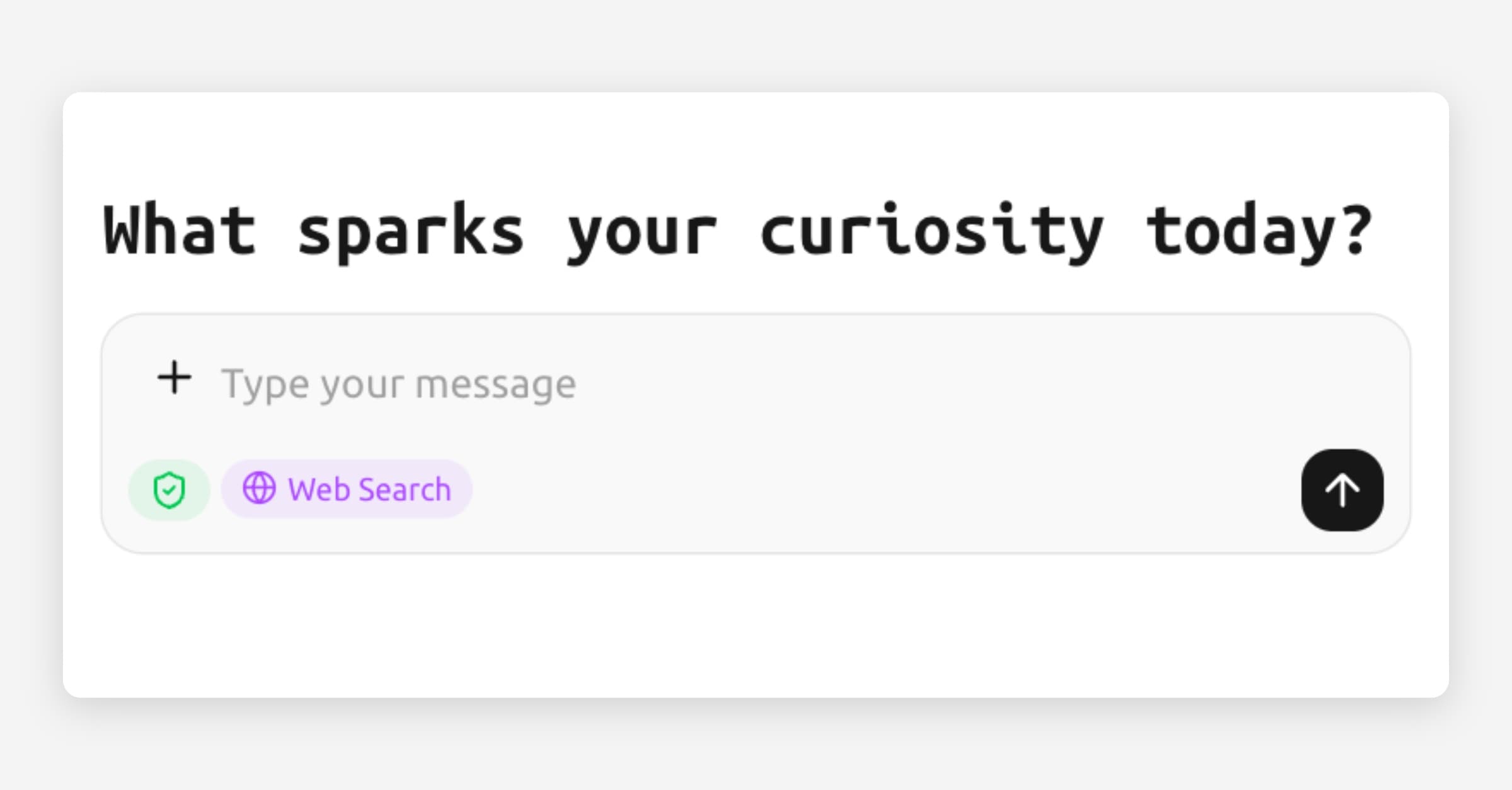
Web search
In a nutshell: Toggle on Web search in the prompt box to let the AI search the internet for you. You approve each search before it happens, and your identity is never revealed.
How to use web search
In the prompt box, click the Web search button to enable it for the current message.
Type your message as usual (e.g., "What are the latest GDPR enforcement actions in 2026?").
Press Enter to send.
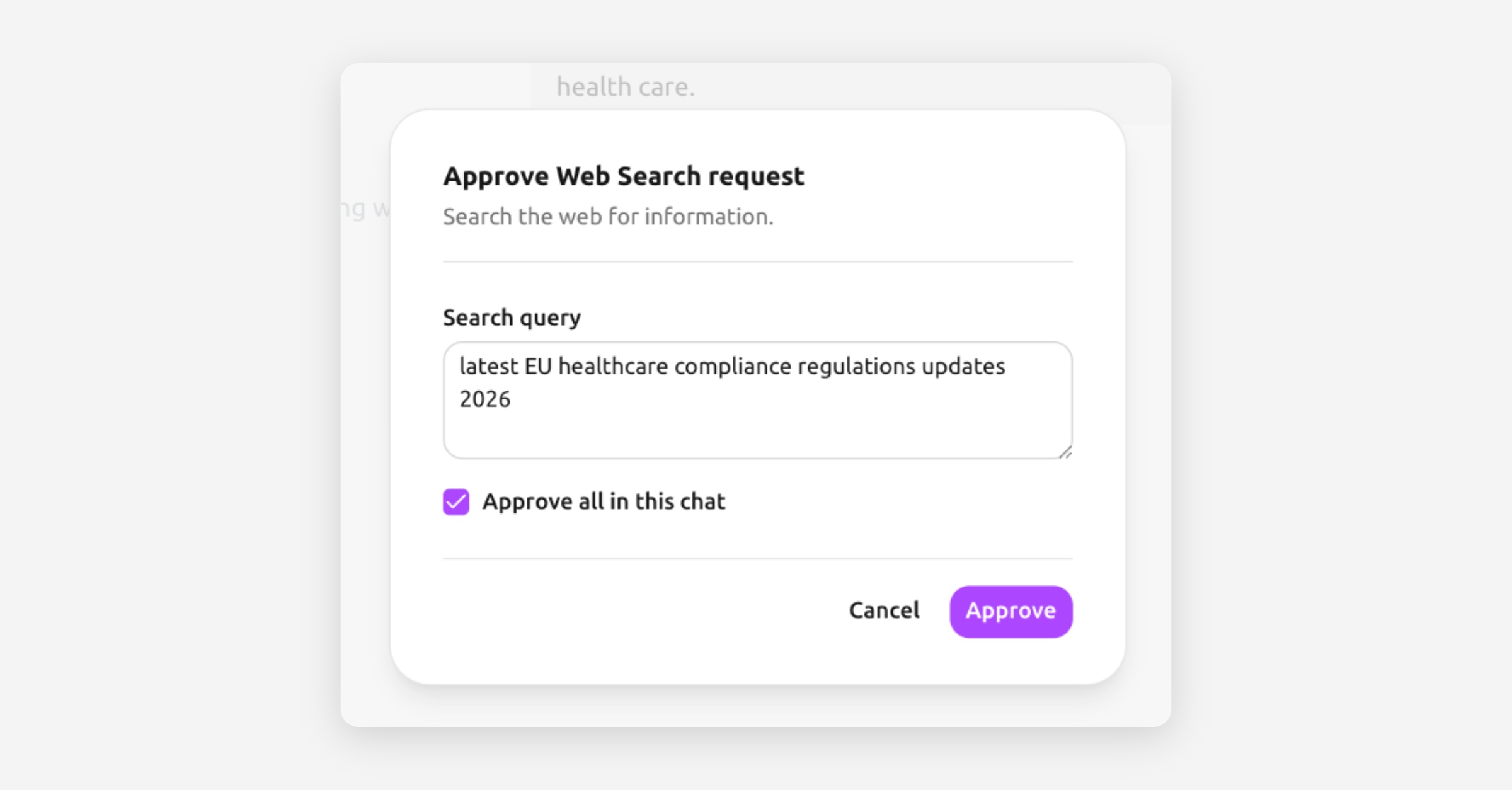
Before the search executes, Tresor shows you an approval prompt with the search query the AI wants to run.
Click Approve to allow the search, or modify it.
The AI performs the search, reads the results, and responds with information from the web.
Why does Tresor ask for approval?
Web search is the one feature that sends information outside the sealed enclave — specifically, the search query goes to a search provider. Tresor gives you full control:
You see the exact query before it's sent.
You can reject any search you're not comfortable with.
You can choose to approve all searches in a conversation if you trust the flow.
This way, even the web search feature respects your privacy preferences.
What stays private
Your identity is not attached to web searches. The enclave makes the request — not your browser directly.
Your conversation context is not shared with the search provider. Only the specific search query is sent.
The search results are processed inside the enclave, keeping them within the secure environment.
Good to know
Web search is a per-message toggle — enable it when you need it, leave it off when you don't.
The AI can also fetch specific URLs if you provide them. The same approval process applies.
Web search makes your messages take a bit longer because the AI needs to search, read, and synthesize the results.
Search results are cited in the AI's response so you can verify the information.
🔒 Privacy: Web search is designed with an "egress approval" model — nothing leaves the enclave without your explicit permission. The search provider sees a query from Tresor's infrastructure, not from your personal browser or IP address.
Related articles
Your first conversation — Basics of chatting with Tresor.
How Tresor protects your privacy — Understanding the zero-access model.
What Tresor can and cannot see — Complete data access breakdown.
Was this helpful?