
Tresor AI changelog
New models, avatars, and workspace management
A packed update with new AI models, a more personal sharing experience, and several quality-of-life improvements.
New models
Z.AI: GLM 5 — A new model option, now available in the model selector.
Kimi k2.5 (recommended) — A strong all-rounder that's now a recommended pick for everyday use.
Like every model on Tresor, both run inside a secure, sealed environment.
User avatars and better sharing
Your conversations now show user avatars — giving shared chats a cleaner, more personal look. When you share a conversation, recipients can see who said what at a glance.
Delete workspaces
You can now delete a workspace you no longer need. Head to your workspace settings to remove it. This is permanent, so Tresor will ask you to confirm before anything is deleted.
Improvements & fixes
Paste images from clipboard — You can now paste images directly from your clipboard into the chat, in addition to uploading from file.
Better translations — Improved translations across the interface for French and German users.
Fixed shared chat verification — Resolved an issue where verification could fail on shared conversations.
Projects, persistent files, and longer conversations
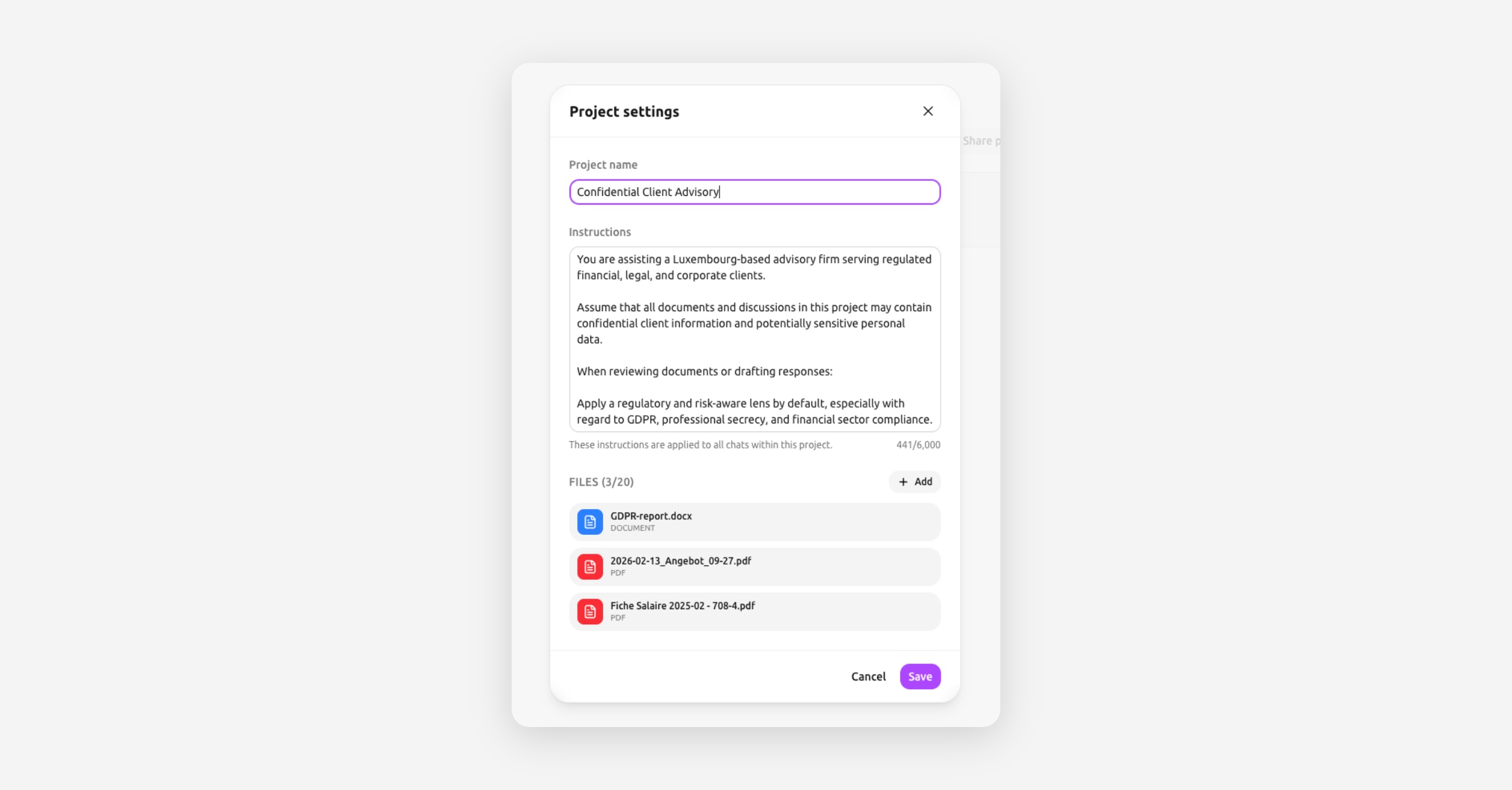
Tresor now lets you organize your work into projects — complete with their own files, instructions, and conversations.
Persistent file uploads
Previously, uploaded files only lived for a single conversation. Now your documents and images are stored persistently — available across conversations whenever you need them. Upload once, reference anytime.
🔒 Privacy: Your files remain encrypted and stored securely. Only you hold the keys.
Projects with files and custom instructions
Projects are a new way to keep related work together. Each project can have:
A title to keep things organized
Custom instructions that guide the AI for every conversation in that project
File attachments — add documents and images that the AI can reference across all project conversations
Open the new project settings panel to configure everything in one place.
Longer conversations with compaction
Ever hit the limit on a long conversation? Compaction intelligently summarizes earlier parts of the conversation so you can keep going — without losing important context. Long research sessions, multi-step analysis, and extended discussions now flow naturally.
Give projects a spin — they're a great way to set up recurring workflows or keep a complex task organized.
Smoother conversations, better sources
A round of polish to make your day-to-day experience smoother:
Auto-scroll after sending — The chat now scrolls to the latest response automatically after you submit a prompt. No more manual scrolling.
Fixed follow-up web searches — Resolved an issue where web searches in follow-up questions could fail silently.
More mobile file sources — The file picker on mobile now offers additional source options, making it easier to upload from your device.
Better citation display — Fixed a parsing issue that caused some inline citation markers to render incorrectly.
Small improvements, steady progress. We're shipping these alongside larger features to keep the everyday experience feeling fast and reliable.
Upload and analyze images
Tresor now understands images. Upload a photo, screenshot, chart, or diagram — and ask the AI to describe it, extract text, analyze data, or answer questions about what it sees.
Like everything on Tresor, your images are processed privately inside the sealed environment. They're never stored or visible to anyone.
Also in this update
Faster prompt submission — Improved speed and responsiveness when sending messages.
Smarter web queries — Better reformulation of your questions into effective search queries.
Mobile settings layout — Fixed layout issues in settings on smaller screens.
Improved mobile experience — Added PWA configuration so Tresor works better as an app on your phone or tablet.
💡 Tip: Try uploading a whiteboard photo, a receipt, a chart from a report, or a screenshot of an error message. The AI handles a wide range of visual content.
See it for yourself — drop an image into your next conversation.
Upload documents, get answers
You can now upload documents directly into your conversations. Drop a PDF, Word document, spreadsheet, or any supported file — and ask the AI to summarize, analyze, extract, or transform it.
Your files are encrypted and processed inside the sealed environment. Tresor never sees or stores the contents.
Supported formats
PDF, DOCX, XLS, XLSX, PPTX, CSV, JSON, RTF, ODT, TXT, and HTML.
Also in this update
Prompt templates — Start faster with ready-made templates for common use cases like summarization, translation, and analysis.
Calculator tool — The AI can now do precise arithmetic. No more rounding errors on financial questions.
Web search + file upload in parallel — Upload a document and run a web search in the same conversation, at the same time.
Graceful search cancellation — Cancel a web search mid-flight and still get an answer based on what was already found.
Double-submit prevention — No more accidentally sending the same prompt twice.
🔒 Privacy: Uploaded files are processed ephemerally — they exist only for the duration of your request, then they're gone. Nobody at Tresor can access them at any point.
Upload something and see what the AI makes of it.
Search the web, privately
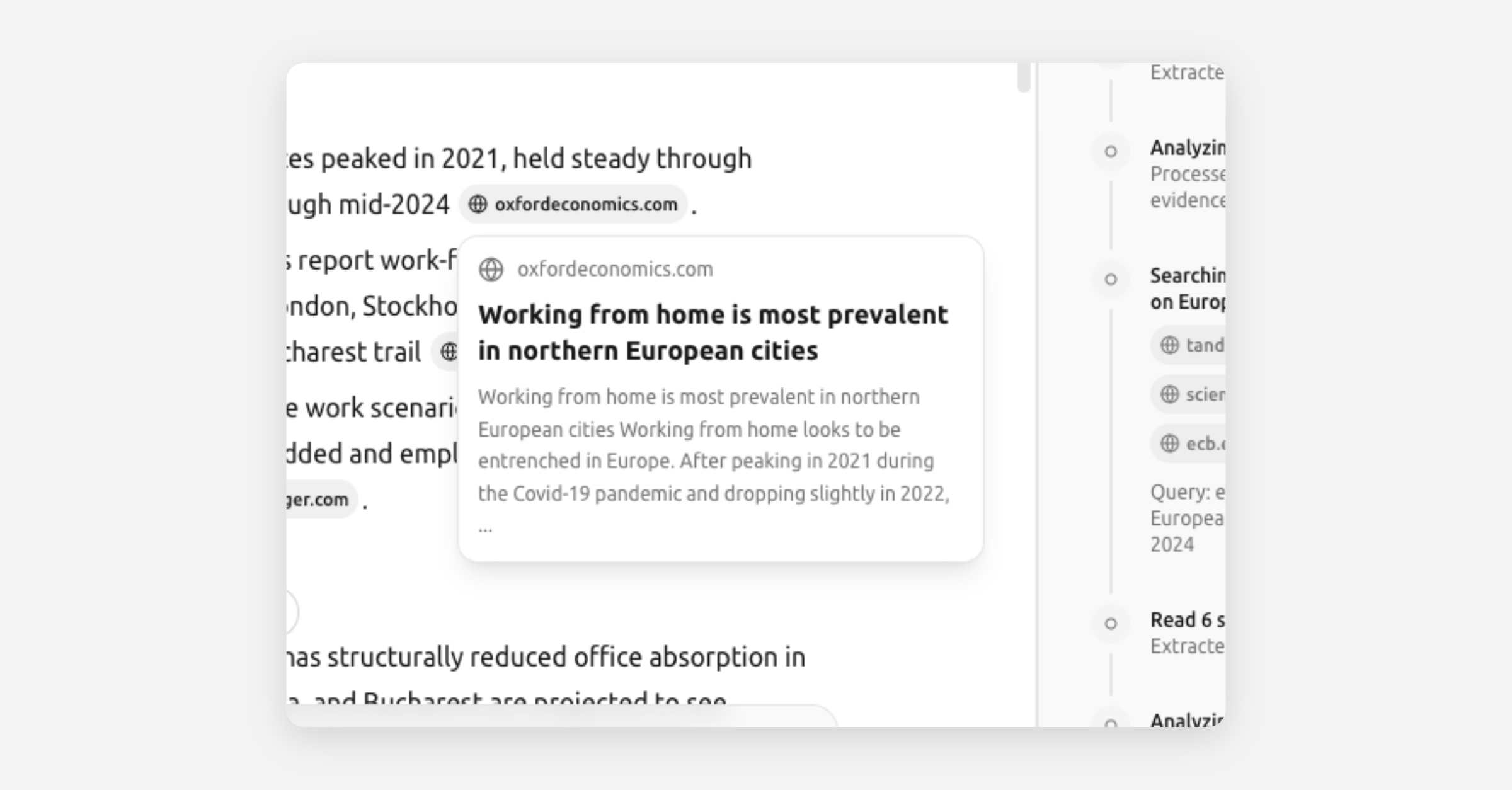
Tresor can now go beyond what the AI model knows. Ask a question that needs current information, and Tresor will search the web, read relevant pages, and synthesize an answer — with sources.
All of this happens inside the sealed environment. The websites you search never know who's asking, and Tresor never sees what you searched for.
How it works
Under the hood, Tresor now runs an agentic orchestrator — a multi-step reasoning loop that can plan, search, read, and reflect before giving you an answer. For straightforward questions, it answers directly. For research tasks, it takes multiple steps automatically.
You can also force a web search by including a search flag in your prompt, or just ask naturally — Tresor will decide when the web can help.
What's new in this release
Web search — Ask anything that needs fresh, real-time information.
Web fetch — Tresor can read and extract content from specific URLs you share.
Source display — See where the AI's information came from, with clickable references.
Math and LaTeX rendering — Equations and formulas now display beautifully.
Improved Thinking Mode feedback — Real-time status indicators show what the AI is doing at each step.
Improved reasoning sidebar — Expanded source cards and better layout for inspecting the AI's thought process.
Improved text layout — Cleaner typography and spacing for long-form answers.
Smarter model selection — Tresor now automatically picks the best model for embedding, planning, reflection, and synthesis behind the scenes.
Chat search and pagination — Find past conversations more easily with search and paginated history in the sidebar.
🔒 Privacy: Web searches run inside the enclave. External sites never learn your identity, and Tresor never sees your queries or results.
This is a big one. Give it a try — ask Tresor something that needs today's information.
Thinking Mode is here
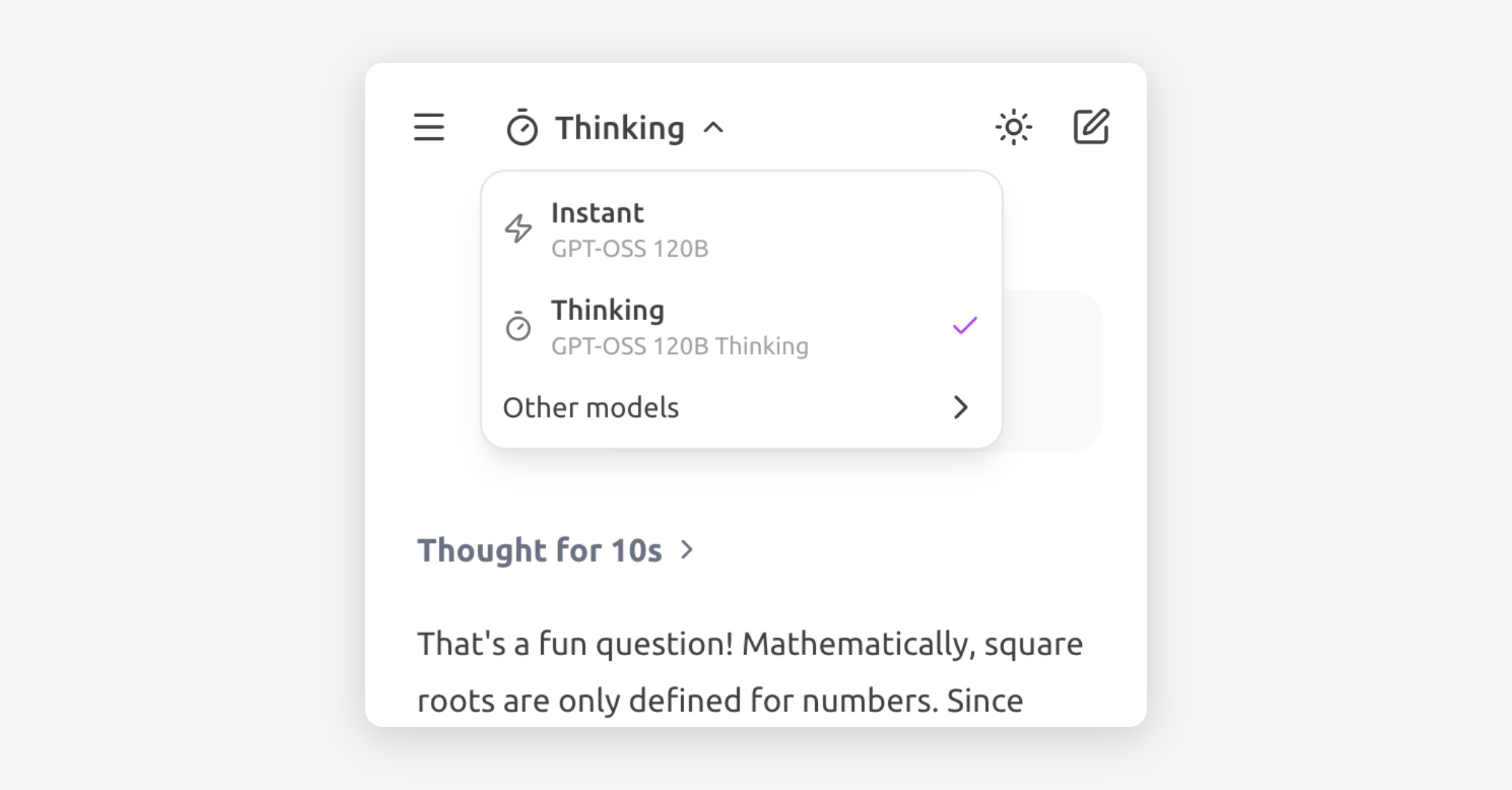
You can now use Thinking Mode in Tresor. This mode lets you choose models that reason through your question before answering. You can see how long the model spends thinking and, if you want, inspect its reasoning process.
For complex or ambiguous requests, Thinking Mode can noticeably improve answer quality and reliability.
To enable it, select Thinking from the model selector in the top left, or choose any model with “thinking” in its name.
Thinking Mode uses a budget-based approach — the model decides how much reasoning a question needs and allocates time accordingly. Simple questions still get fast answers. Complex ones get the deep thought they deserve.
💡 Tip: Try Thinking Mode for legal analysis, financial reasoning, multi-step problems, or any question where getting it right matters more than getting it fast.
Happy reasoning.
Tresor now speaks your language
Tresor's interface is now available in English, French, and German.
Every menu, button, and setting adapts to your chosen language — so you can navigate Tresor in the language that feels most natural to you. Your AI conversations already worked in any language; now the app around them does too.
To switch languages, head to Settings and choose your preferred language. The change takes effect immediately.
💡 Tip: You can always chat with the AI in any language, regardless of your interface language. The models are multilingual by nature.
More languages are on the way. If there's one you'd love to see, let us know.